
Null’s Brawl for PC v69.252 | Play on Windows & Laptop Free
Latest Version V69.252
App Size
1170 MB
Total Download 30M+
Null’s Brawl is officially a mobile game, but playing it on PC gives you a completely different and more powerful experience. With a bigger screen, precise mouse and keyboard controls, and higher FPS performance, everything about the game feels sharper and more competitive on a desktop or laptop.
This guide covers everything you need: the best emulators, step-by-step installation for each one, keyboard control setup, system requirements, and solutions for every common problem players face on PC, all updated for the v69.252 Cosmo & Vince update.
/
App Info
| Field | Details |
| App Name | Null’s Brawl for PC |
| Version | v69.252 |
| Platform | Windows 7/8/10/11, macOS |
| Method | Android Emulator |
| Recommended Emulator | BlueStacks |
| Size | 1170 MB |
| Price | Free |
| Last Updated | 2 hours ago |
What Is Null’s Brawl for PC?
Null’s Brawl does not have an official native PC version. However, using an Android emulator on your Windows or Mac computer, you can run the full Null’s Brawl APK with zero limitations. The emulator creates a virtual Android environment on your PC, letting the game run exactly as it does on a phone but with all the advantages of desktop hardware.
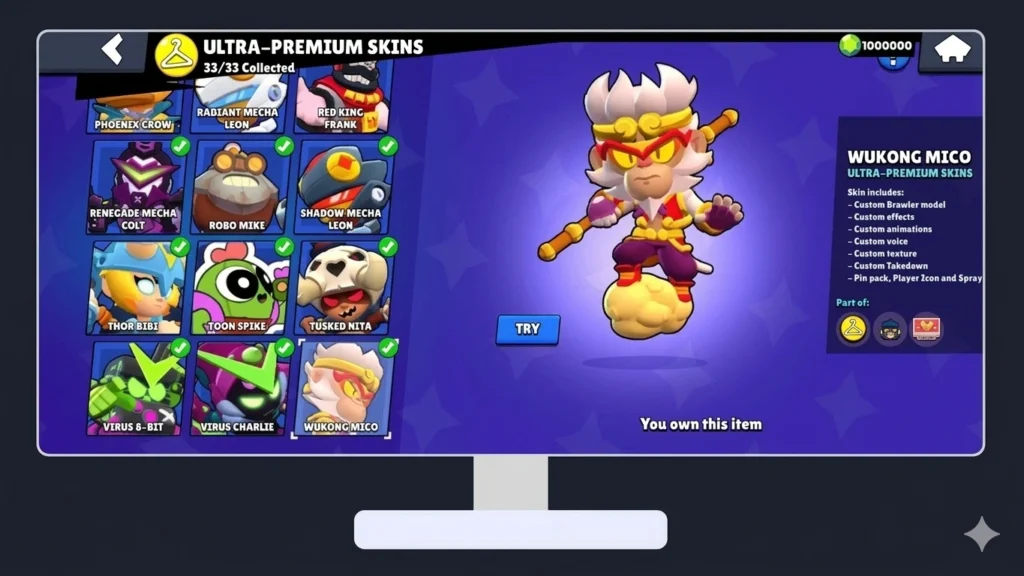
Everything works exactly the same as on mobile. All brawlers are unlocked, unlimited gems and coins are available, and you can play real multiplayer matches against other players worldwide. Your progress syncs through Null’s Connect, so switching between mobile and PC does not affect your account in any way.
What’s New in v69.252
The v69.252 update brings the biggest brawler update of the season to every platform, PC included:
Is Null’s Brawl Safe on PC?
Yes, Null’s Brawl is completely safe to play on PC when downloaded from the official source and run through a trusted emulator. The game does not require admin access, does not modify your system files, and runs entirely within the emulator’s sandbox environment.
Your PC is not at any risk as long as you follow these simple safety rules:
Your official Brawl Stars account is completely unaffected. Null’s Brawl runs on a separate private server that has no connection to Supercell’s official servers.
Key Features of Null’s Brawl on PC
When you run Null’s Brawl through an emulator, you get the full private server experience along with the advantages of PC gaming:
System Requirements for Windows and Mac
Before downloading an emulator, check that your PC meets these requirements for smooth gameplay:
Windows Requirements
| Specification | Minimum | Recommended |
| Operating System | Windows 7 (64-bit) | Windows 10 / 11 (64-bit) |
| Processor | Intel/AMD Dual-Core | Intel i5 / AMD Ryzen 5 or better |
| RAM | 4 GB | 8 GB or more |
| Storage | 5 GB free | 10 GB free |
| Graphics | Intel HD Graphics | NVIDIA GTX 1050 / AMD RX 560 |
| Virtualization | VT-x / AMD-V enabled | VT-x / AMD-V enabled |
| Internet | Stable broadband | High-speed Wi-Fi or Ethernet |
Mac Requirements
| Specification | Minimum | Recommended |
| Operating System | macOS Sierra 10.12 | macOS Catalina 10.15 or later |
| Processor | Intel Core i3 | Apple M1 / M2 / M3 chip |
| RAM | 4 GB | 8 GB or more |
| Storage | 5 GB free | 10 GB free |
| Graphics | Integrated GPU | Dedicated GPU recommended |
💡 Tip: Enable Virtualization Technology in your BIOS settings for significantly better emulator performance. On most PCs, this is disabled by default.
Best Emulators to Run Null’s Brawl on PC
Null’s Brawl requires an Android emulator to run on PC. Here are the three best options, each suited to different setups:
BlueStacks Best Overall
BlueStacks is the most popular Android emulator worldwide and the top recommendation for Null’s Brawl on PC. It offers the best balance of performance, stability, and ease of use.
Why choose BlueStacks:
Best for: Most players, especially those with modern PCs (2018 and later)
NoxPlayer Best for Low End PCs
NOX Player is a lightweight emulator designed to run smoothly on older or weaker hardware. If your PC has less than 8 GB RAM or an older processor, NOX is the better choice.
Why choose NOX Player:
Best for: Players with older PCs or limited RAM
LDPlayer Best for Performance
LDPlayer is optimized specifically for gaming and offers excellent FPS stability. It is a strong alternative to BlueStacks for players who want maximum performance.
Why choose LDPlayer:
Best for: Performance-focused players who want maximum FPS
How to Download & Install Null’s Brawl on PC
Method 1: BlueStacks Recommended
Requirements: Windows 7+ or macOS 10.12+, 4 GB RAM minimum, Null’s Brawl APK
💡 Pro Tip: In BlueStacks settings, go to Performance and set CPU to High and RAM to 4 GB for the smoothest gameplay.
Method 2: NoxPlayer
Requirements: Windows 7+ or macOS, 4 GB RAM minimum, Null’s Brawl APK
💡 Pro Tip: In NOX settings, enable Root mode and set Graphics Rendering Mode to Speed for better performance on low-end PCs.
Method 3: LDPlayer
Requirements: Windows 7+ (64-bit), 4 GB RAM minimum, Null’s Brawl APK
💡 Pro Tip: In LDPlayer settings, enable High Frame Rate Mode and set the rendering to OpenGL for the best visual performance.
How to Set Up Keyboard Controls on PC
One of the biggest advantages of playing on PC is the ability to map any key to any action. Here is the recommended control layout for Null’s Brawl:
Recommended Key Mapping Layout
| Action | Recommended Key |
| Move Up | W |
| Move Down | S |
| Move Left | A |
| Move Right | D |
| Primary Attack | Left Mouse Click |
| Super Ability | Right Mouse Click |
| Gadget | E |
| Hypercharge | Q |
| Emote/Pin | F |
| Auto-Aim Attack | Space |
How to Set Up Controls in BlueStacks
How to Set Up Controls in NOX Player
How to Set Up Controls in LDPlayer
💡 Pro Tip: Use WASD for movement and mouse for aiming. This combination gives you the most natural and precise control feel, similar to top-down PC games.
Common Issues, Errors & Solutions
Game Not Launching in Emulator
Solution: Make sure virtualization is enabled in your BIOS. Check Task Manager for any conflicting background applications. Restart the emulator and try again.
Black Screen on Startup
Solution: Update your GPU drivers to the latest version. Go to emulator settings and switch the graphics renderer from DirectX to OpenGL (or vice versa). Reinstall the emulator if the issue persists.
Lag or Low FPS During Matches
Solution: Increase RAM and CPU core allocation in emulator settings. Lower the in-game graphics settings to medium. Close all background applications before launching. Enable Game Boost Mode if available.
Keyboard Controls Not Working
Solution: Click inside the emulator window first to give it focus. Re-open the key mapping editor and reassign the controls. Make sure no other application is capturing the same keys.
APK Installation Error
Solution: Re download the APK from the official website, as the file may be corrupted. Make sure your emulator is updated to the latest version. You can also try installing the APK using the emulator’s built in installer instead of drag and drop.
Game Crashes During Matches
Solution: Allocate more RAM to the emulator (minimum 4 GB recommended). Lower graphics settings. Make sure your emulator is updated. On LDPlayer, switch renderer to OpenGL.
Cannot Connect to Server on PC
Solution: Check your internet connection. Disable VPN if active — private servers sometimes block VPN connections. Try switching to a different DNS server (8.8.8.8 or 1.1.1.1).
Null’s Connect Not Working on PC
Solution: Make sure you are using the correct email. Check your spam folder for the verification code. Wait 5 minutes before requesting a new code. Ensure the emulator has internet access permissions enabled.
Null’s Brawl PC vs Mobile — Which Is Better?
| Feature | PC (Emulator) | Mobile |
| Screen Size | ✅ Large monitor | ❌ Small screen |
| Controls | ✅ Mouse + Keyboard | Touch only |
| FPS | ✅ Up to 60+ FPS | 30-60 FPS |
| Battery | ✅ No battery drain | ❌ Drains fast |
| Overheating | ✅ No issue | ❌ Common problem |
| Portability | ❌ Fixed location | ✅ Play anywhere |
| Streaming | ✅ Very easy | ❌ Needs extra tools |
| Multi-Instance | ✅ Supported | ❌ Not available |
| Setup Required | ❌ Needs emulator | ✅ Direct install |
| Storage | ✅ More available | ❌ Limited |
Verdict: PC is better for competitive play, streaming, and long sessions. Mobile is better for casual play on the go. Many serious players use both mobile for quick matches and PC for ranked sessions and streaming.
Tips for Better Gameplay on PC
These tips are specifically for PC players and will noticeably improve your performance:
Pros and Cons of Playing Null’s Brawl on PC
Frequently Asked Questions
Conclusion
Playing Null’s Brawl on PC takes the private server experience to a completely different level. The combination of a bigger screen, precise keyboard and mouse controls, higher FPS, and no battery limitations makes every match noticeably smoother and more competitive than on mobile.
Setting up is straightforward: download an emulator like BlueStacks, NOX, or LDPlayer, install the APK, configure your controls, and you are ready to play in just a few minutes. Your entire progress carries over instantly through Null’s Connect, so there is nothing to rebuild.
Whether you are a casual player who wants more comfortable controls, a competitive player aiming for better performance, or a streamer looking for the easiest way to share gameplay, Null’s Brawl on PC delivers exactly what you need. Download the latest v69.252 version, set up your preferred emulator, and enjoy all brawlers, including the new Cosmo and Vince, from the first login, on the biggest screen available.